Job Generation
Station Setup
To get job generation working, you'll need to have at least two stations.
Stations can be created using the prefabs in Mapify/Prefabs/Station, or you can use your own.
Input/Output Cargo Groups
These two lists are where you'll define the production chains of your map. Each element contains a list of cargo types, and a list of stations.
These define what cargo types can go to, or come from, each station on the map.
Warehouse Machines
To load and unload cars, you'll need at least one warehouse machine with a loading track at each station. Warehouse Machines can support different cargo types, allowing you to have different areas for different cargo in the same station.
Cargo types
There are 2 ways to specify cargo types on a warehouse machine or station. Under "Cargo Types" there's a dropdown menu containing every cargo in the base game.
"Custom Cargo Types" is for cargos of the Custom Cargo mod. Enter the exact identifier of the cargo. You can find it by going to the folder of the cargo mod -> open cargo.json -> look for Identifier.
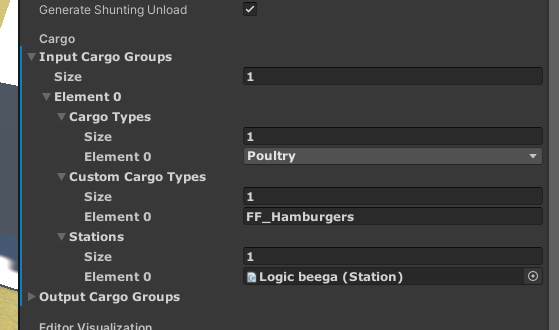
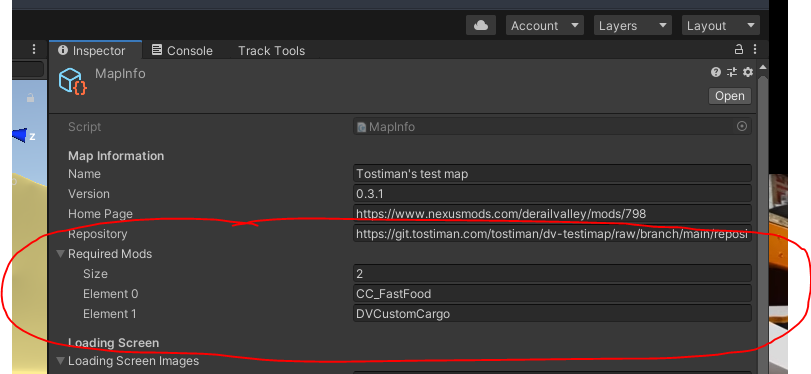
You should also add Custom Cargo mod and the mod that contains your custom cargo to the 'Required Mods' list on your MapInfo. Add the ID of the mod, not the name.
The ID of Custom Cargo mod is DVCustomCargo.
You can find the ID of custom cargo mods by going to the folder of the mod -> open info.json -> look for Id.
The required mods list on MapInfo should look something like this:
Assigning Tracks
On each Track component there are four fields related to job generation
- Station ID
- Yard ID
- Track ID
- Track Type
These fields should be pretty self-explanatory.
For job generation to occur, there must be at least one of each of the following types at all stations:
- Storage/PassengerStorage
- Loading/PassengerLoading
- In
- Out